SSWPROD Support Center
Business management software that keeps the whole company in one place.
Client management, projects and tasks, a ticketing helpdesk, invoices and contract generation — in one web-based system that we build, host and tailor to the way your company works.
- Web-based, nothing to install
- HUF and GBP
- English and Hungarian
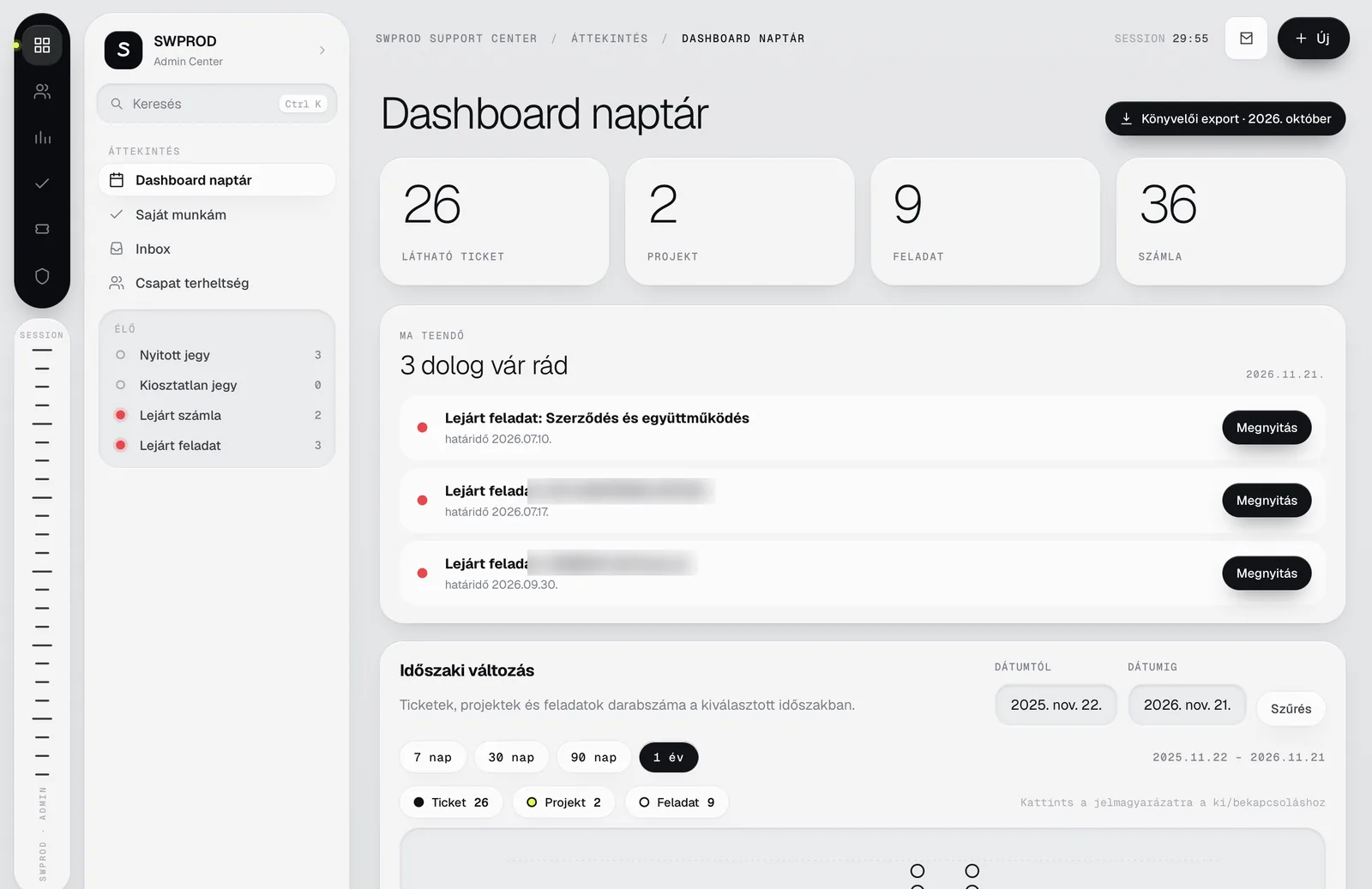
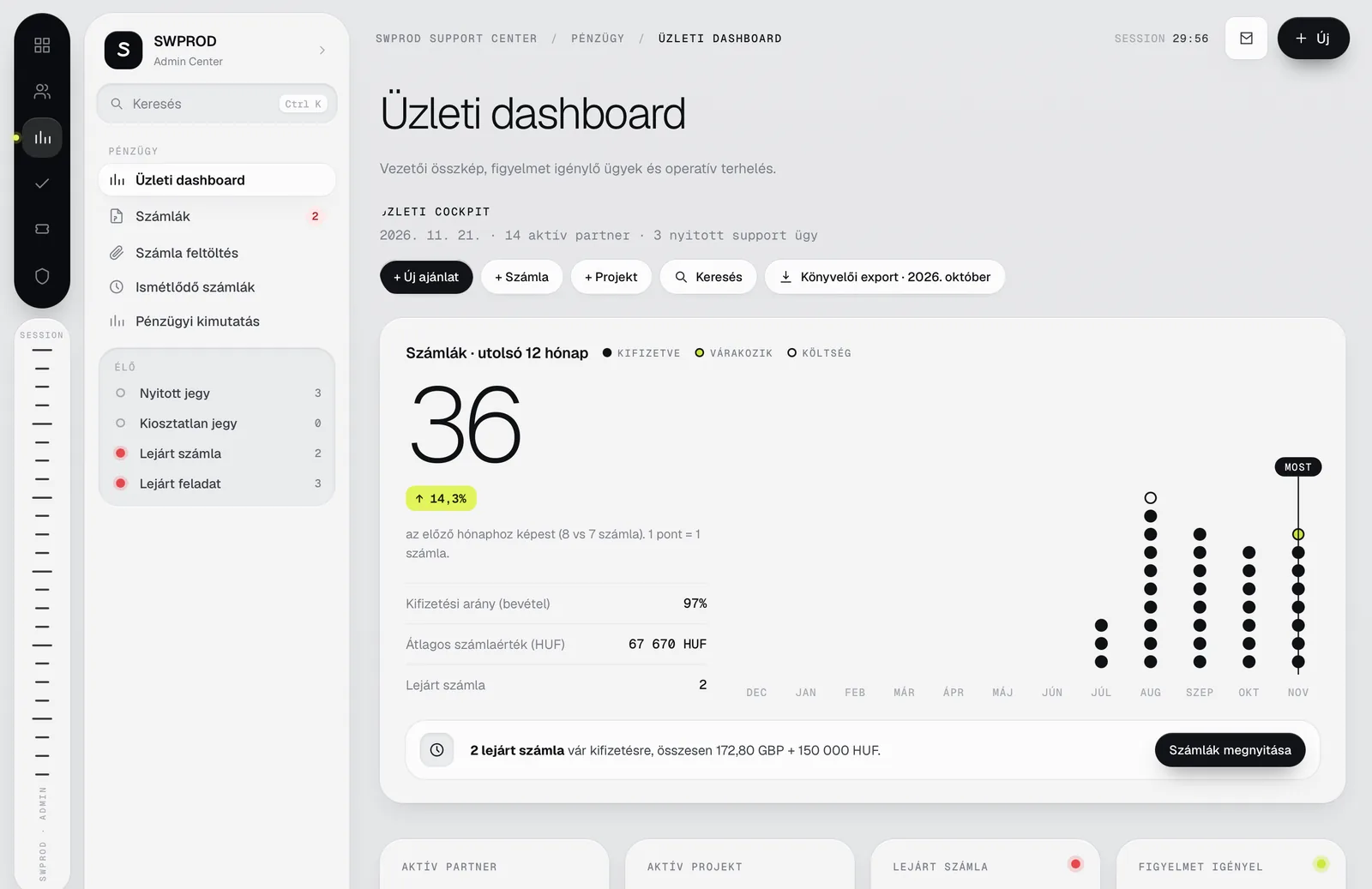
Everything a growing company runs on — connected.
Each module works on its own, but the real value comes from the links between them: the ticket knows the client, the client knows the contract, the contract knows the invoices.
Client management (CRM)
Every client, contact and partner in one record — with the full history.
Client records are the backbone of the system. Each client links to its contacts, projects, tasks, tickets, contracts and invoices, so anyone with the right permissions sees the whole relationship on one screen instead of searching across e-mail threads and spreadsheets.
- 01Client and partner recordsCompany data, contacts, roles and notes, with active/inactive status.
- 02360° relationship viewProjects, tickets, contracts and invoices linked to the same client.
- 03Instant searchKeyboard shortcut search (Ctrl K) across clients, tickets, projects and documents.
- 04Activity historyWho changed what and when — every modification is logged.
Project and task management
Projects, tasks, owners and deadlines — with nothing slipping through.
Work is organised into projects and tasks with a named owner and a deadline. A calendar dashboard shows what is due today, overdue items are flagged automatically and managers see team workload at a glance — without asking for status updates.
- 01Projects and tasksOwners, deadlines, priorities and status for every piece of work.
- 02“My work” viewEach user sees their own tasks, tickets and deadlines in one list.
- 03Overdue alertsOverdue tasks and invoices are highlighted on the dashboard.
- 04Team workloadManagers see who is working on what and where capacity is tight.
Ticketing and helpdesk
Your own support desk — tickets, SLAs in practice and statistics.
Clients submit requests through a public form or by e-mail; each one becomes a ticket with a status, an owner and a full conversation history. Unassigned tickets are visible immediately, and the statistics show volume, resolution rate and average resolution time per period and per reporter.
- 01Public submission formClients report issues without needing an account; e-mail notifications keep both sides informed.
- 02Statuses and assignmentNew, in progress, waiting for client, resolved, closed — with a clear owner.
- 03Ticket dashboardOpen, unassigned and overdue tickets in one live view.
- 04Support statisticsIncoming tickets per day, resolution rate and average resolution time.
Invoices and finance
Invoices, recurring billing, payment tracking and an accountant-ready export.
The finance module keeps every issued and uploaded invoice in one register, tracks payment status and due dates and handles recurring invoices. The business dashboard shows invoice volume over the last twelve months, the payment rate and the average invoice value — in HUF and GBP.
- 01Invoice registerIssued and uploaded invoices with status, due date and client link.
- 02Recurring invoicesScheduled invoices for retainers and subscriptions.
- 03Payment trackingOverdue invoices flagged with the outstanding amount per currency.
- 04Accountant exportMonthly export prepared for your accountant in one click.
Contract generation and register
Contracts generated from approved templates — and filed where you can find them.
Contracts are produced from approved templates filled with client and deal data, then generated as PDF documents. Every contract is stored against the client with its version and status, so the current terms are always one click away.
- 01Template-based generationApproved clause templates filled with client data — no copy-paste errors.
- 02PDF outputPrint-ready, consistently formatted contract documents.
- 03Contract registerAll contracts per client, with version and status.
- 04Offers and quotesProposals created from the same data before the contract stage.
Security and access control
Role-based access, full audit trail and GDPR-aware by design.
Built by a company that also does data-protection compliance, the system treats access and accountability as core features: users see only what their role allows, every change is logged and sessions time out automatically.
- 01Role-based permissionsAccess defined per role and per module.
- 02Audit logEvery modification is traceable to a user and a time.
- 03Session securityAutomatic session timeout on idle accounts.
- 04Operated by usHosting, monitoring and backups handled by SWPROD.
From scattered tools to one system
| Area | Without a system | With SWPROD |
|---|---|---|
| Client data | Spread across e-mail, spreadsheets and phones | One client record linked to everything |
| Tasks and deadlines | Remembered, or found in chat threads | Owner, deadline and overdue alert for every task |
| Support requests | Lost in personal inboxes | Tickets with status, owner and statistics |
| Invoices | Payment status checked by hand | Overdue invoices flagged automatically |
| Contracts | Copied from the last one, edited by hand | Generated from approved templates as PDF |
| Management overview | Assembled manually at month end | Live dashboards and an accountant export |
Built for companies that have outgrown spreadsheets.
And because we build it ourselves, it can follow your processes rather than forcing you into ours.
Service companies and agencies
Many clients, recurring work and invoices — and a need to see all of it in one place.
IT and maintenance providers
Support tickets, contracts and recurring billing for the same client base.
Healthcare providers
Operations, partners and documentation handled with access control and an audit trail.
Growing SMEs
Companies replacing spreadsheets and disconnected tools with one system.
From demo to daily use.
- 1
Demo and discovery
We show the system on your use cases and map your current processes and data.
- 2
Configuration
Roles, permissions, templates, statuses and reports set up for your organisation.
- 3
Data migration and training
Existing clients, contracts and open items imported; users trained.
- 4
Operation and development
We host, monitor and back up the system — and keep developing it with you.
A demo built around your own processes.
Tell us how you manage clients, work, support, invoices and contracts today — we will show you how it looks in one system.
Business management software — FAQ
What is a business management system?
A business management system brings the day-to-day administration of a company into one application: client records, projects and tasks, customer support, invoices and contracts. Instead of separate tools that do not talk to each other, everything is linked to the same client and visible on the same dashboard.
Does it need to be installed?
No. It is a web application that runs in the browser on desktop and tablet. We host and operate it, so there is nothing to install or maintain on your side.
Can it be tailored to our processes?
Yes. We develop the system ourselves, so roles, statuses, templates, reports and individual modules can be adjusted to how your company works, and new functions can be added.
Can we bring our existing data?
Yes. Client lists, contracts and open items can be migrated during implementation, so you start with your real data rather than an empty system.
Where is our data and who owns it?
Your data remains yours. The system runs on infrastructure operated by SWPROD with monitoring and backups, and a data processing agreement covers the personal data we handle on your behalf.
Which modules can we use?
Client management, projects and tasks, ticketing, invoices and finance, contract generation and access control. You can start with the modules you need and add the rest later.
How much does it cost?
Pricing depends on the modules, the number of users and any tailoring required. After a short demo and discovery call you receive a written proposal.
Can we see it before deciding?
Yes. Request a demo and we will walk you through the system using scenarios from your own business.